คู่มือการใช้งานเว็บไซต์
Usage Guide • grandxperiences.com
ขั้นตอนการสมัครสมาชิก
Registration
Step 1.
เข้าสู่เว็บไซต์: ไปที่ grandxperiences.com
Access: Visit grandxperiences.com
Step 2.
เลือกวิธีการ: คลิกปุ่ม “Continue with Google” หรือสมัครด้วยอีเมลโดยคลิก “REGISTER HERE” แล้วกรอก ชื่อ-นามสกุล, อีเมล และรหัสผ่าน
Methods: Click the “Continue with Google” button or click “REGISTER HERE” to sign up via email.
Step 3.
ยืนยัน: อ่านและยอมรับนโยบายความเป็นส่วนตัว จากนั้นคลิกปุ่ม “REGISTER” เพื่อสร้างบัญชี
Confirm: Accept the Privacy Policy and click the “REGISTER” button.
ขั้นตอนการซื้อบัตร
Purchasing
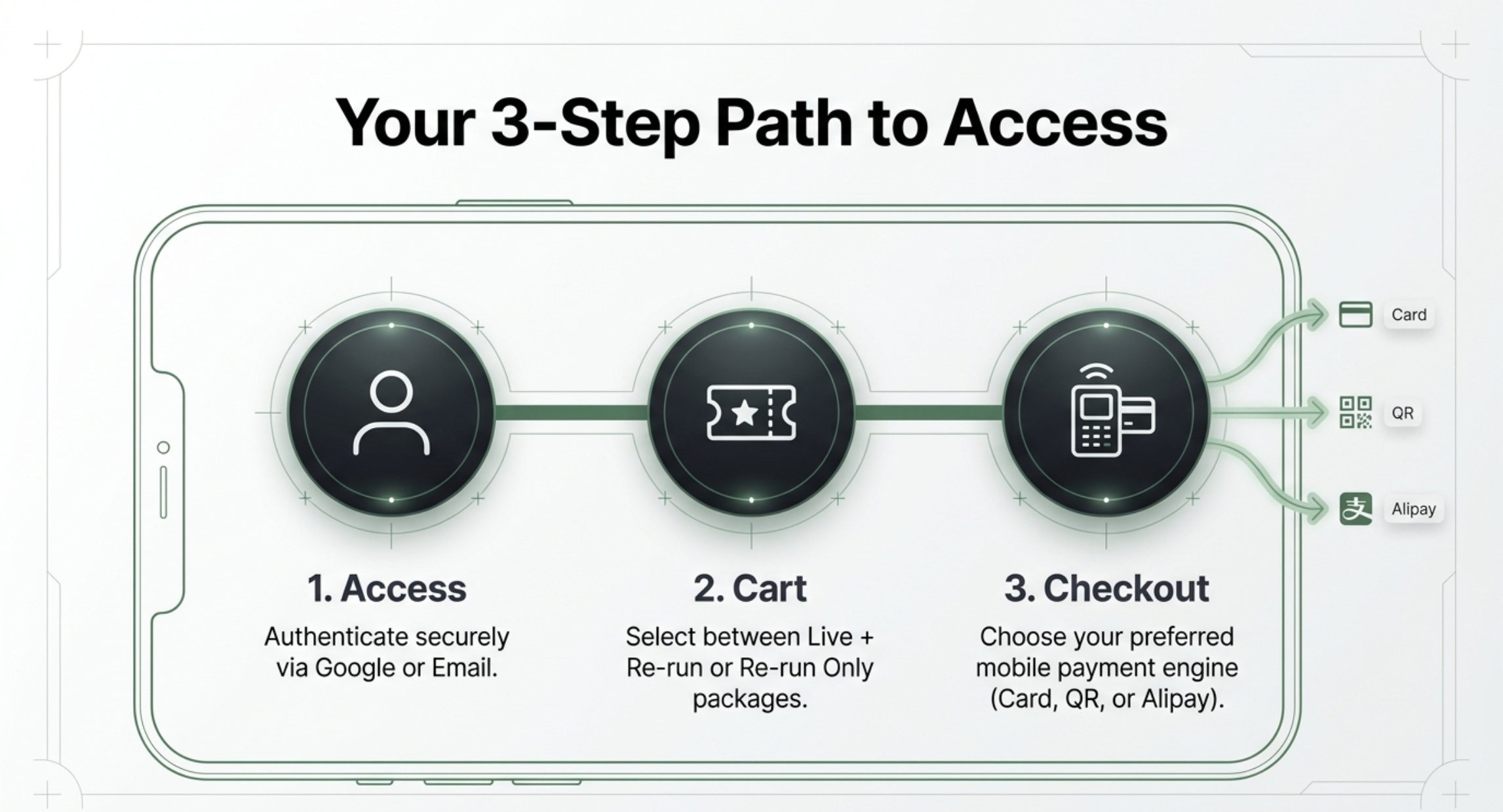
Step 1.
เข้าสู่ระบบ: ล็อกอินผ่าน Google หรือบัญชีที่ได้สมัครไว้
Login: Sign in with Google or your registered account.
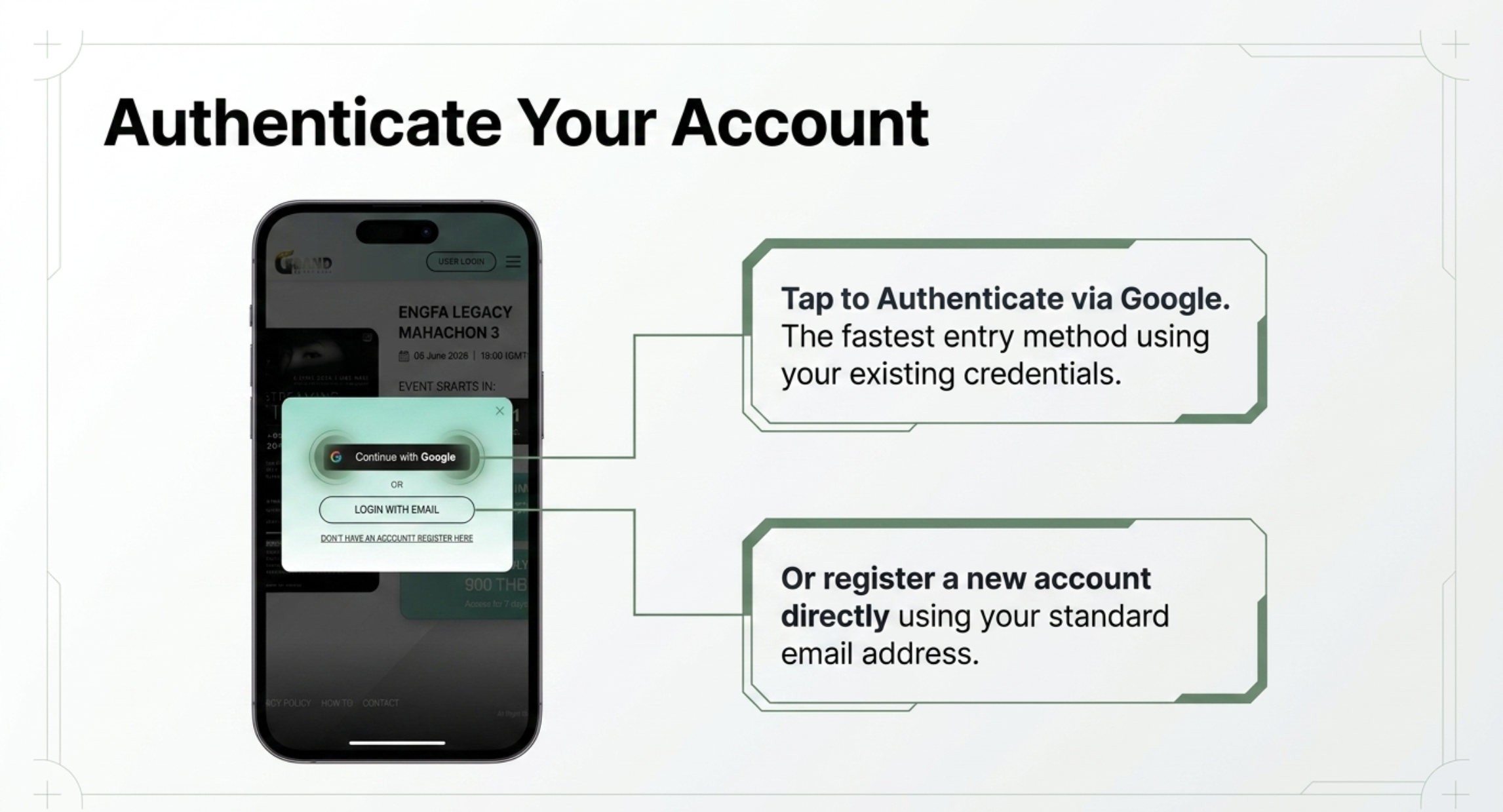
Step 2.
เลือกกิจกรรม: คลิกเลือกกิจกรรมหรือเนื้อหาที่คุณสนใจเพื่อดูรายละเอียด
Select Content: Choose the event or content you wish to watch.
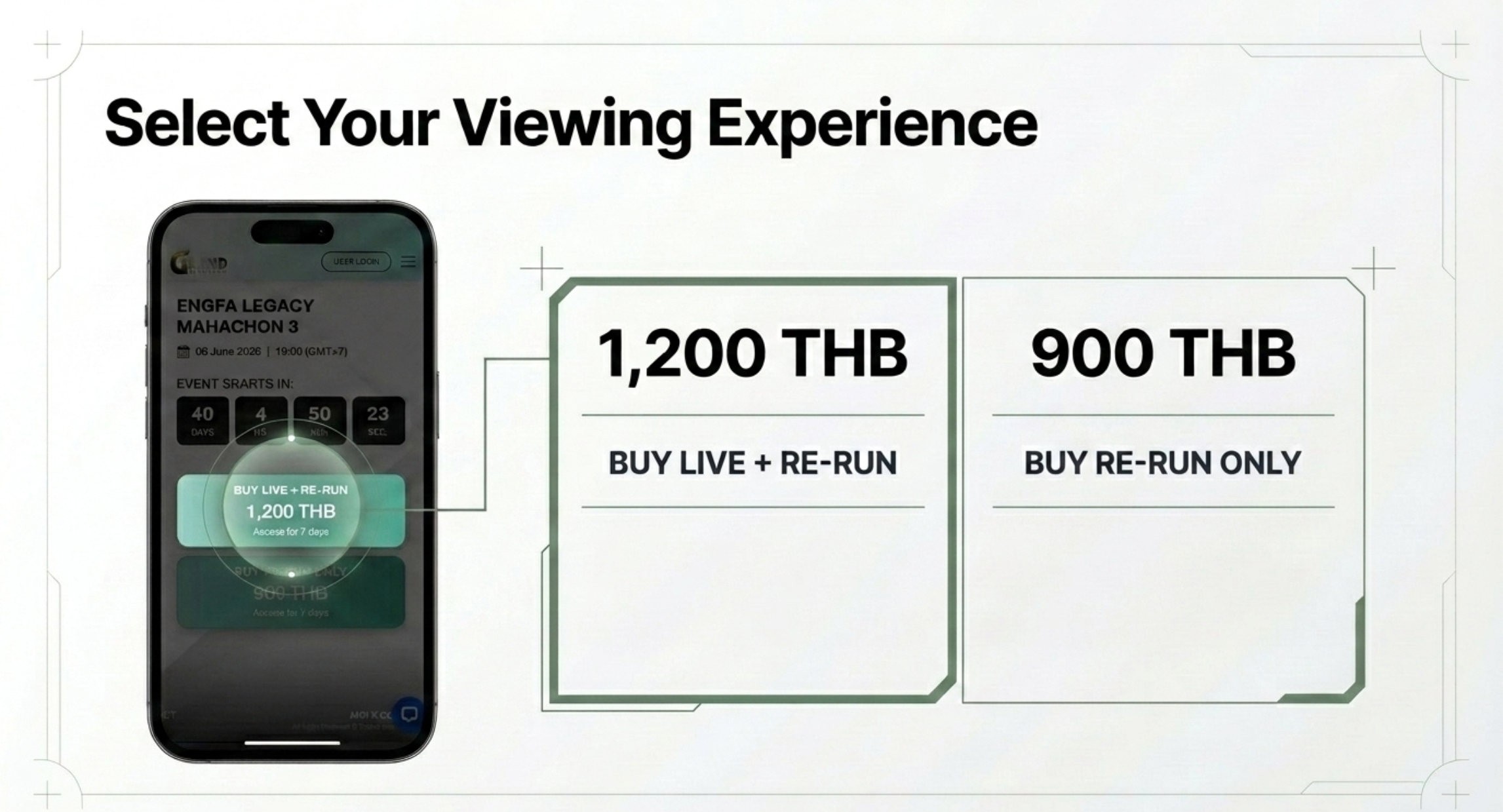
Step 3.
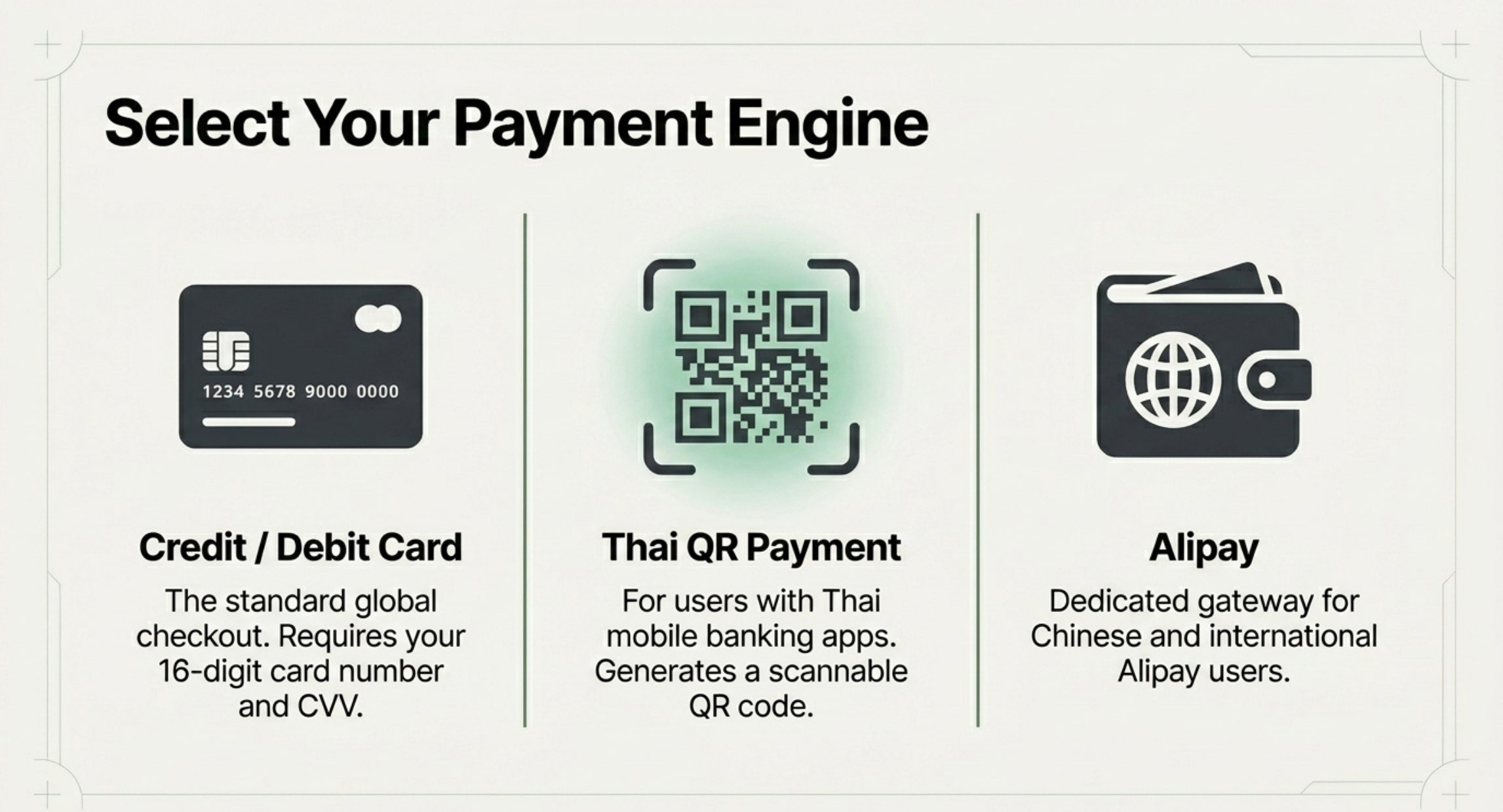
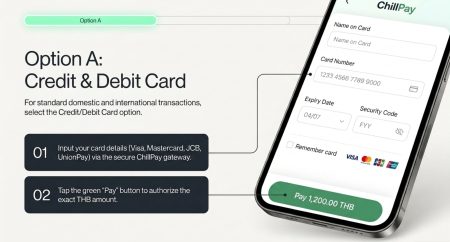
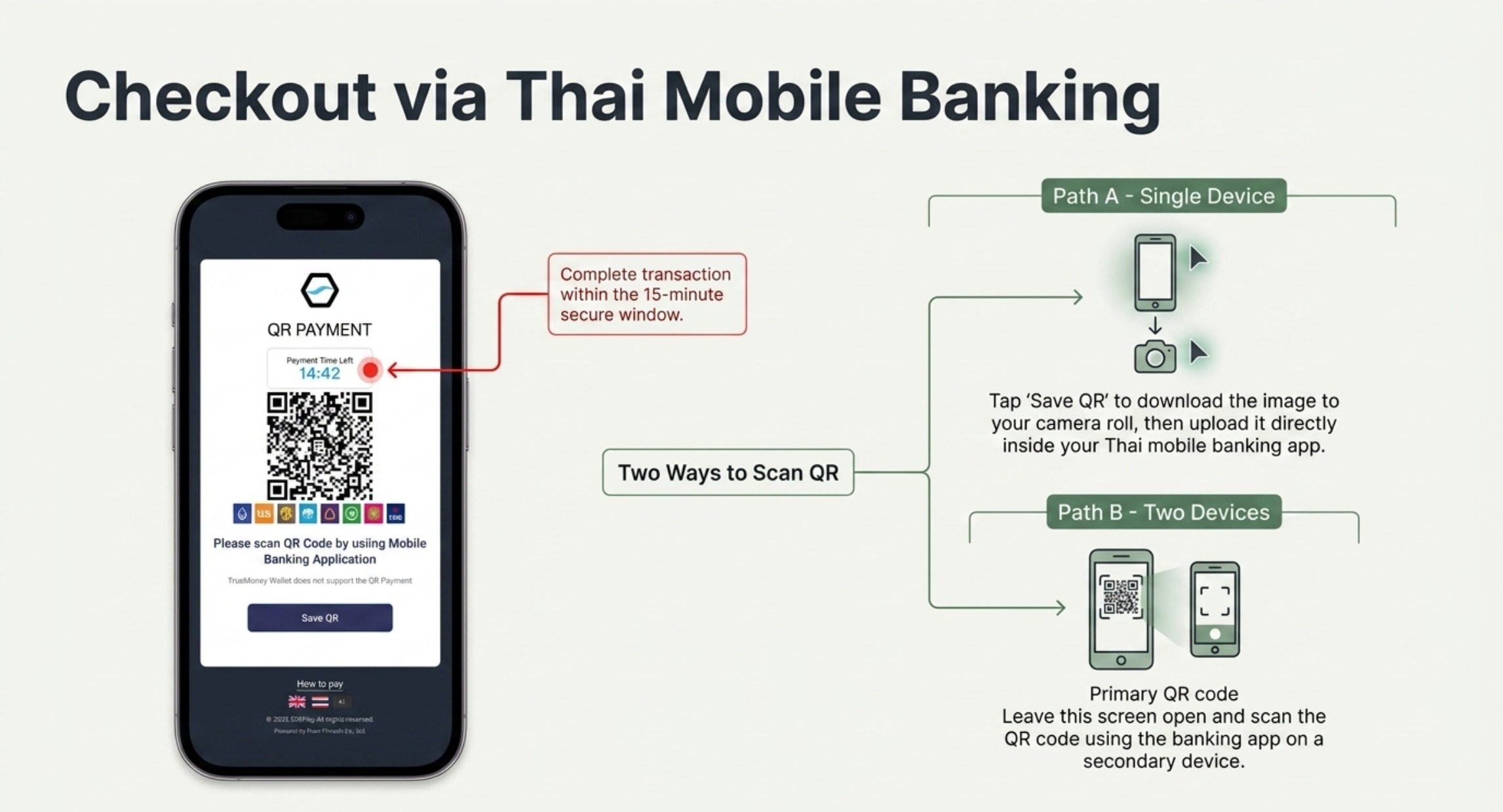
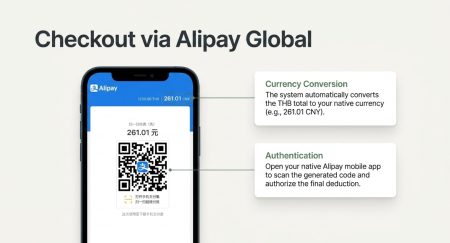
ชำระเงิน: คลิกปุ่มสั่งซื้อ ระบบจะนำไปหน้าชำระเงิน เลือกวิธีที่คุณสะดวกและกรอกข้อมูล
Payment: Click the “Buy” button, select payment method, and complete details.
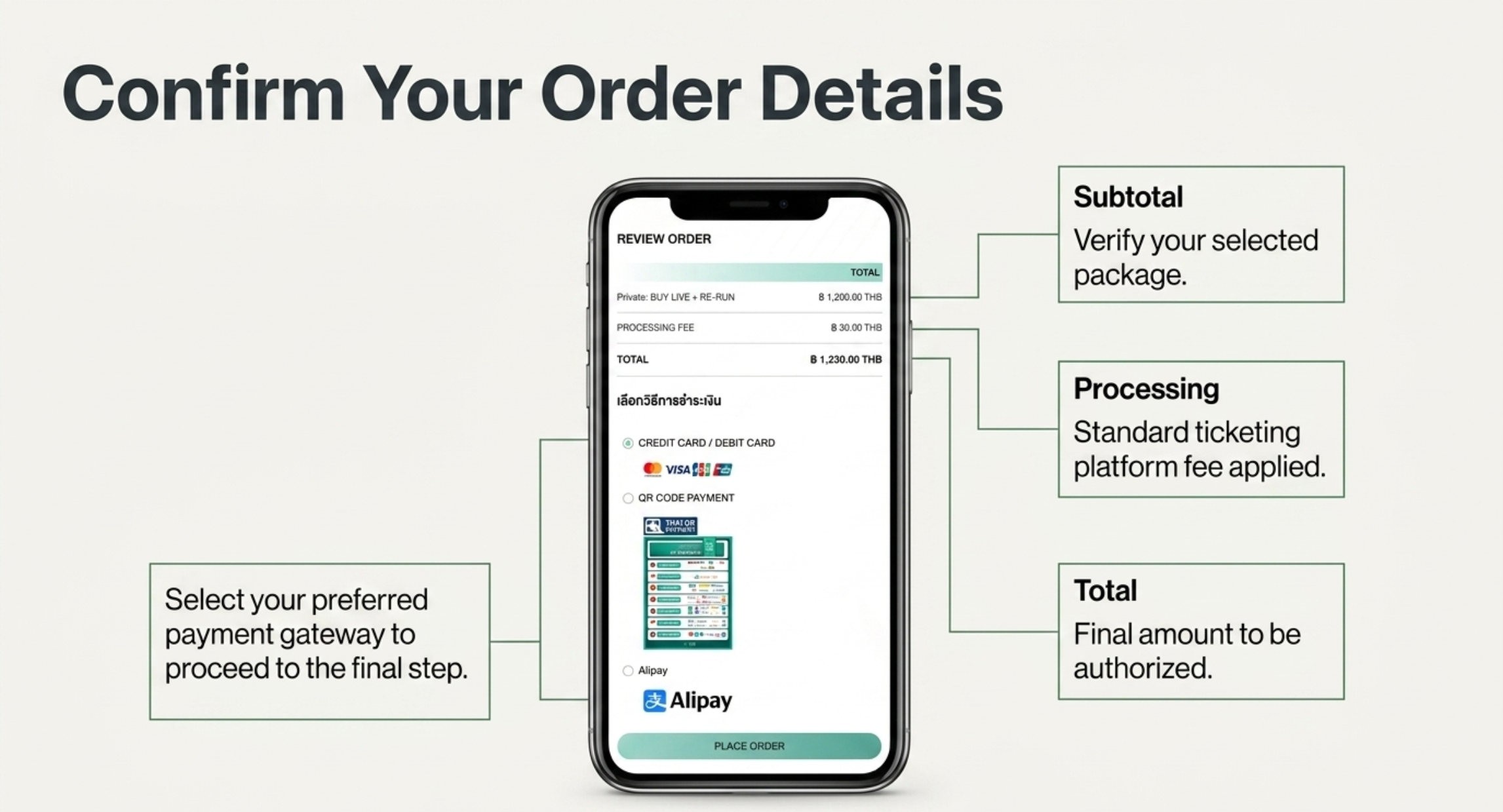
Step 4.
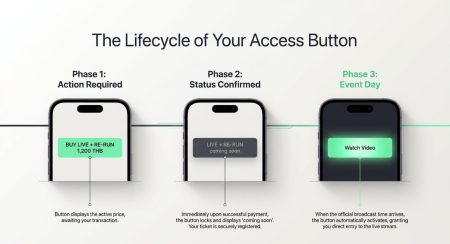
ยืนยัน: หลังชำระเงินสำเร็จ ปุ่ม Buy จะเปลี่ยนเป็น Coming Soon หรือดูประวัติคำสั่งซื้อได้ที่ My account
Confirmed: After payment, the “Buy” button turns to “Coming Soon” Or you can view your order history in My account.
Step 5.
เมื่อถึงกำหนดเวลาเริ่มแสดง ปุ่มจะเปลี่ยนเป็น Play now ให้โดยอัตโนมัติเพื่อเข้าชมการถ่ายทอดสด
When the official broadcast time arrives,the button automatically activates, granting you direct entry to the live stream.
*All purchases are non-refundable. Please check carefully before making a payment.